1. Overview (ସଂକ୍ଷିପ୍ତ ବିବରଣୀ)
1a. Purpose (ଉଦ୍ଦେଶ୍ୟ)
An uninterruptible power supply (UPS) provides backup power during power outages, ensuring the continuous operation of critical devices like IFP displays and networking equipment.
ଏକ Uninterruptible Power Supply (UPS) ବିଦ୍ୟୁତ୍ ବିଚ୍ଛିନ୍ନ ହେବା ସମୟରେ backup power ପ୍ରଦାନ କରେ, ଯାହା ଜରୁରୀ ଉପକରଣଗୁଡ଼ିକ ଯେପରିକି IFP displays ଏବଂ networking equipment ଗୁଡ଼ିକର ଅବିରତ ସଂଚାଳନ ସୁନିଶ୍ଚିତ କରେ।
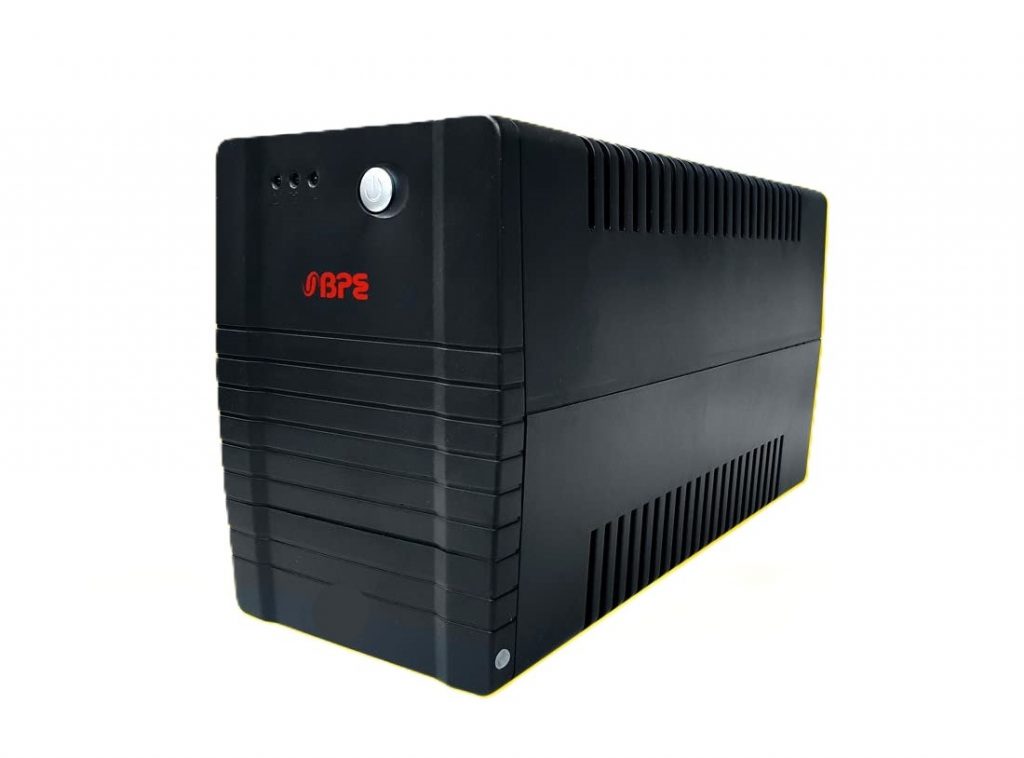
It allows the IFP display to keep running for at least a short time when incoming power is interrupted. As long as utility power is flowing, it also replenishes and maintains the energy storage. The more energy stored, the longer power can be maintained.
ଏହା IFP display କୁ ଯେପରି incoming power ବିଚ୍ଛିନ୍ନ ହୋଇଥାଏ, ତେବେ କମ୍ ସେ କମ୍ ଅଲ୍ପ ସମୟ ପାଇଁ ଚାଲୁ ରଖିବାକୁ ସମର୍ଥ କରେ। Utility power ପ୍ରବାହିତ ହେଉଥିବା ପର୍ଯ୍ୟନ୍ତ, ଏହା energy storage କୁ ପୁନର୍ଭରଣ ଏବଂ ସଂରକ୍ଷଣ କରେ। ଯେତେ ଅଧିକ energy ସଂରକ୍ଷିତ ହୁଏ, ତେତେ ବେଶି ସମୟ ପର୍ଯ୍ୟନ୍ତ power ବ୍ୟବହାର ରହିପାରେ।
1b. Indicators (ସୂଚକଗୁଡ଼ିକ)
The UPS has a power switch (ON/OFF) at the front along with Indication lights to indicate the status of the UPS.
UPS ର ସାମ୍ନା ଭାଗରେ ଏକ power switch (ON/OFF) ଅଛି ସହିତ Indication lights ଯାହା UPS ର ଅବସ୍ଥାକୁ ଦେଖାଏ।
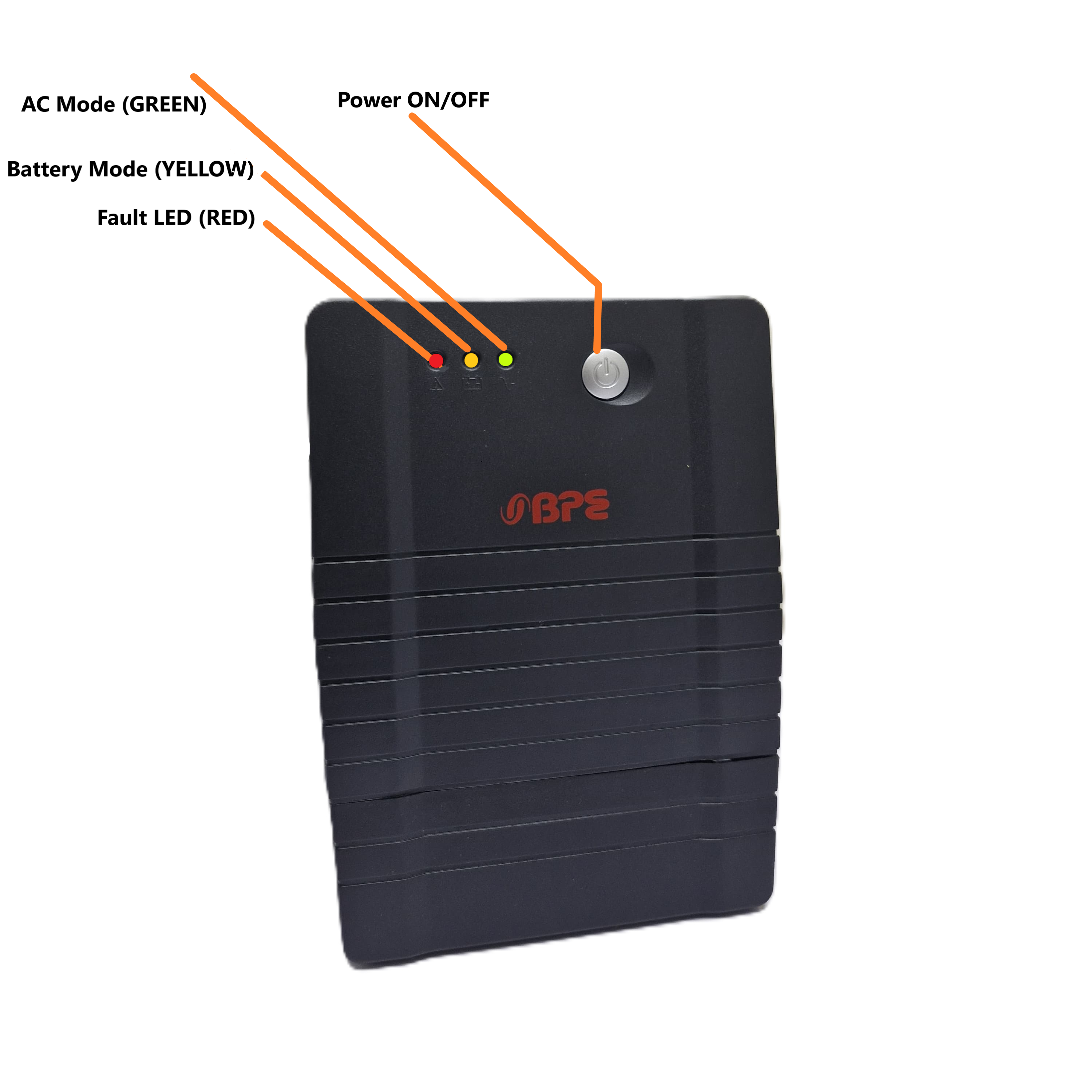
| Indicator | Light | Purpose |
| AC Mode | Green LED Lighting | The UPS is receiving power |
| Battery Mode | Yellow LED Lighting | The UPS is running on the battery backup |
| Fault Mode | Red LED Lighting | There is fault in the UPS |
| Alarm Type | Audible Alarm | Purpose |
| Backup Mode | Sounding every 10 seconds | Running on battery backup. |
| Low Battery | Sounding every 1 second | The battery on UPS is running low |
| Overload | Sounding every 0.5 second | The load power demand is greater than the rating of the UPS . |
| Fault | Continuously Sounding | Issue with the UPS |
1c. Connectivity and Ports (ସଂଯୋଗ ଏବଂ ପୋର୍ଟଗୁଡ଼ିକ)
The UPS has four ports provided at the back, with 3 ports being Battery Backup outlets and a single Bypass outlet, along with a Reset button.
UPS ର ପଛରେ ଚାରିଟି port ଦିଆଯାଇଛି, ଯାହାର 3ଟି port Battery Backup outlets ଭାବେ ଏବଂ 1ଟି Bypass outlet ଭାବେ ଦିଆଯାଇଛି, ସହିତ ଏକ Reset button ରହିଛି।
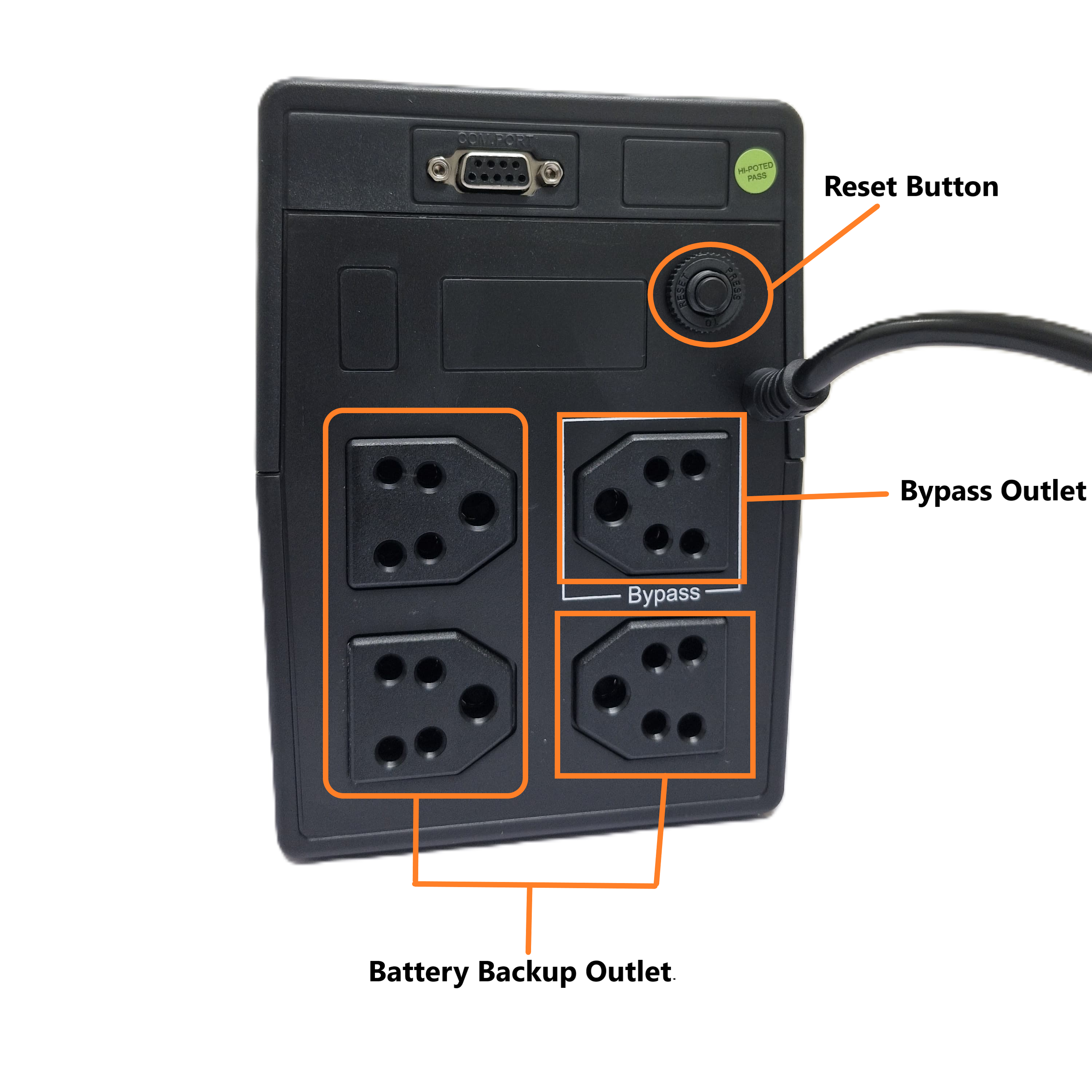
| Type | Description |
| Battery backup Outlets | It provides power to a system when the primary source of power is unavailable. |
| Bypass Outlet | It allows the normal UPS operation to be circumvented in cases of overload or fault. |
| Reset Button | It allows you to restore a device or system to its original state. |
2. Troubleshooting (ସମସ୍ୟା ନିବାରଣ)
| Following are the possible Issue and their Proposed Action |
| Symptom | Possible Cause | Proposed Action |
| There is no LED display on the front panel | 1. The battery is weak. | 1. Charge the battery for up to 8 hours. |
| 2. Battery defect. | 2. Contact Customer Care. | |
| 3. The power switch is not pressed. | 3. Press the power switch again. | |
| The alarm buzzer beeps continuously when the AC supply is normal. | Overload of the UPS. | Remove some non-critical load |
| When power fails, back-up time is shortened. | 1. Overload of the UPS. | 1. Remove some non-critical load. |
| 2. Battery voltage is too low. | 2. Charge the battery for 8 hours or more. | |
| 3. Battery defect due to high temperature operation environment or improper operation of the battery. | 3. Contact Customer Care | |
| Yellow LED is flashing | The power cord is loose. | Reconnect the power cord properly. |
3. Product Support (ଉତ୍ପାଦ ସମର୍ଥନ)
The UPS is mapped to a serial number and a QR code, which can also be scanned for the product serial number. It is to be provided to the support staff during the lodging of a product issue/complaint for easy identification of the product.
UPS ଟିକୁ ଏକ serial number ଏବଂ QR code ସହିତ ମ୍ୟାପ୍ କରାଯାଇଛି, ଯାହାକୁ ପ୍ରୋଡକ୍ଟ ସିରିଆଲ୍ ନମ୍ବର ପାଇଁ ସ୍କ୍ୟାନ୍ କରାଯାଇପାରିବ। ଏହାକୁ ପ୍ରୋଡକ୍ଟ ଇସ୍ୟୁ/କମ୍ପ୍ଲେଇଣ୍ଟ ଲୋଜିଂ କଲାବେଳେ ସମର୍ଥନ୍ ଷ୍ଟାଫ୍ ଙ୍କୁ ଦିଆଯିବା ଦରକାର, ଯାହା ଦ୍ୱାରା ପ୍ରୋଡକ୍ଟ ର ସହଜ ସ୍ତରେ ପରିଚୟ ହୋଇପାରିବ।
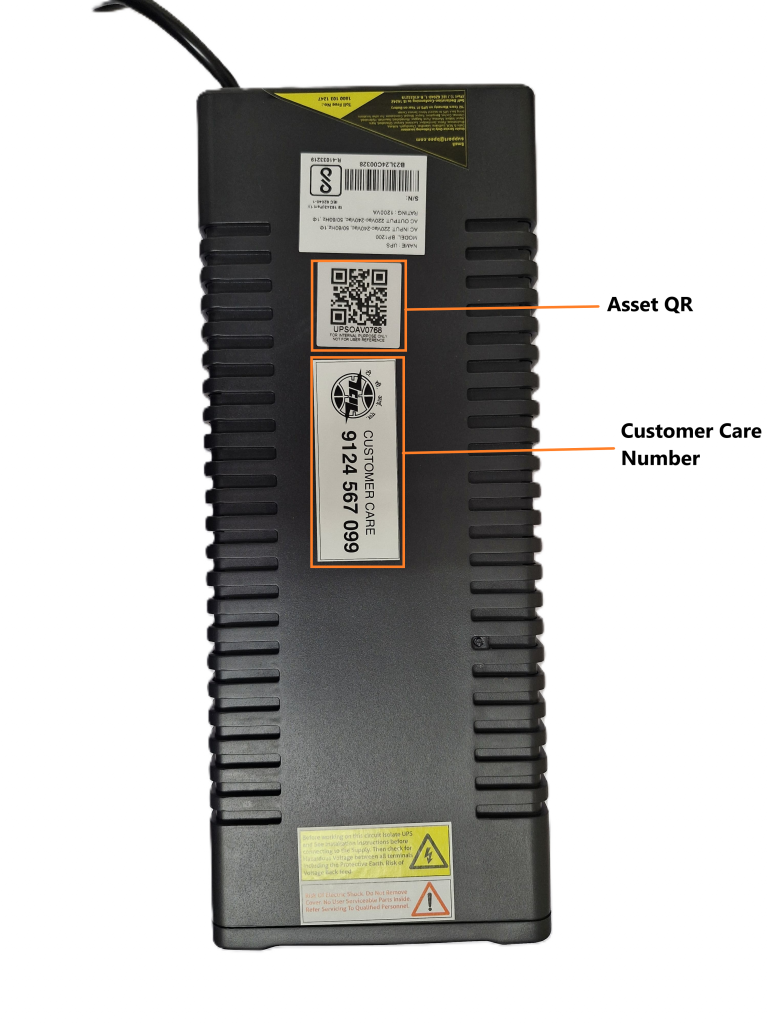
The product is provided with a customer care contact number. You can raise the product issue with the help of the serial number mentioned or by scanning the QR to fetch the serial number.
For any queries or further assistance, please contact our Customer Support:
- Phone: 9124 567 099
Email: helpdesk@ictschoollab.com