1. Overview(ସଂକ୍ଷିପ୍ତ ବିବରଣୀ)
1a. Purpose(ଉଦ୍ଦେଶ୍ୟ)
A vertical wall-mount metal cabinet for a UPS is an enclosure specifically designed to house an UPS (uninterruptible power supply) unit while being mounted on a wall. This provides a way to secure and protect your UPS unit while saving valuable floor space. It has a lock & key to secure the contents inside from misuse.
ଏକ UPS ପାଇଁ ଏକ ଭୂଲମ୍ବ କାନ୍ଥ-ମାଉଣ୍ଟ ଧାତୁ କ୍ୟାବିନେଟ୍ ହେଉଛି ଏକ ଏନକ୍ଲୋଜର ଯାହା ଏକ UPS (ଅବିଚ୍ଛିନ୍ନ ବିଦ୍ୟୁତ୍ ଯୋଗାଣ) ୟୁନିଟ୍ କାନ୍ଥରେ ଲଗାଯିବା ସମୟରେ ରଖିବା ପାଇଁ ସ୍ୱତନ୍ତ୍ର ଭାବରେ ଡିଜାଇନ୍ କରାଯାଇଛି। ଏହା ମୂଲ୍ୟବାନ ମହଲା ସ୍ଥାନ ସଂରକ୍ଷଣ କରିବା ସହିତ ଆପଣଙ୍କର UPS ୟୁନିଟ୍ କୁ ସୁରକ୍ଷିତ ଏବଂ ସୁରକ୍ଷା ଦେବାର ଏକ ଉପାୟ ପ୍ରଦାନ କରେ। ଏଥିରେ ଅପବ୍ୟବହାରରୁ ଭିତରର ବିଷୟବସ୍ତୁକୁ ସୁରକ୍ଷିତ ରଖିବା ପାଇଁ ଏକ ତାଲା ଏବଂ ଚାବି ଅଛି।
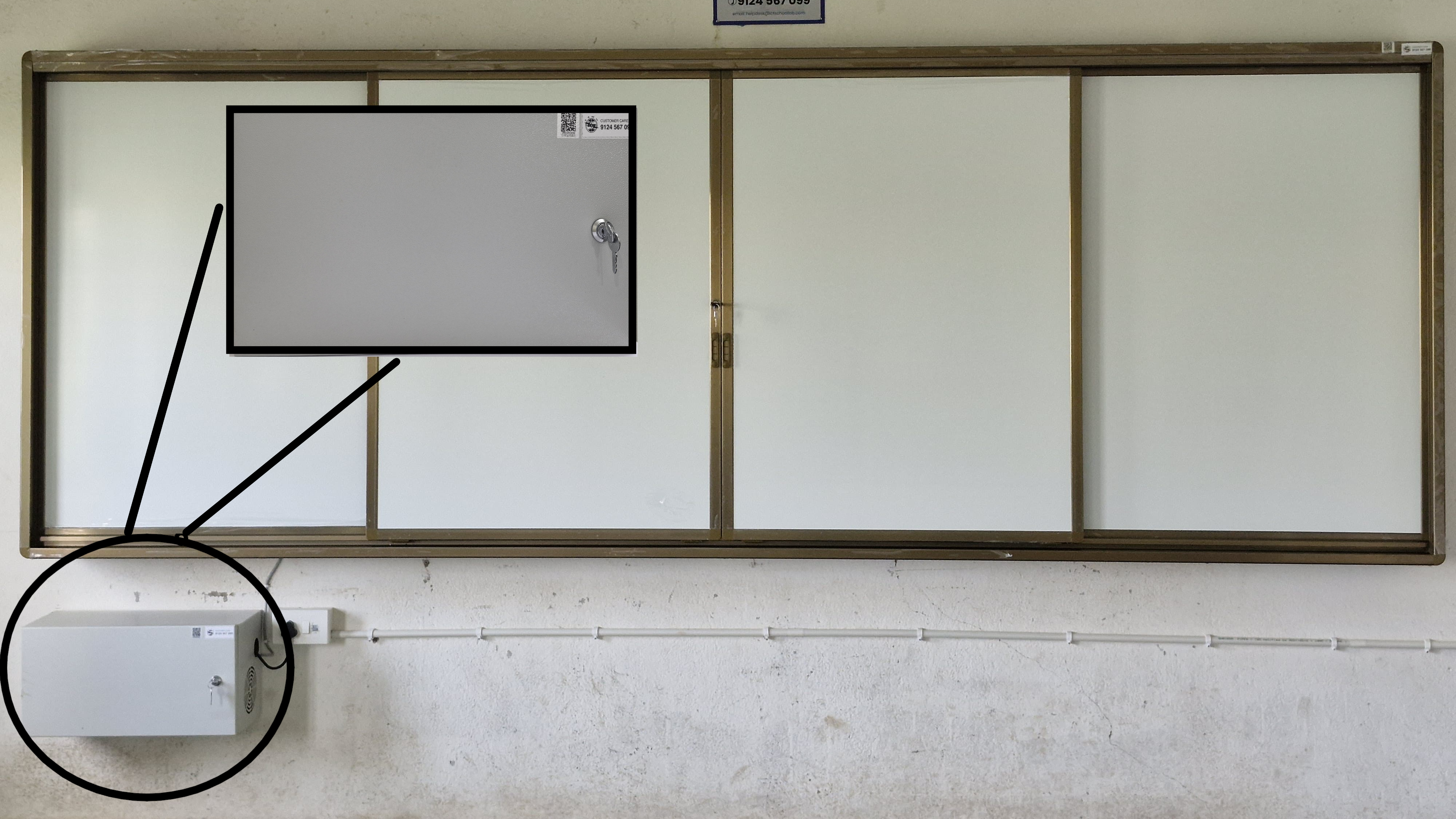
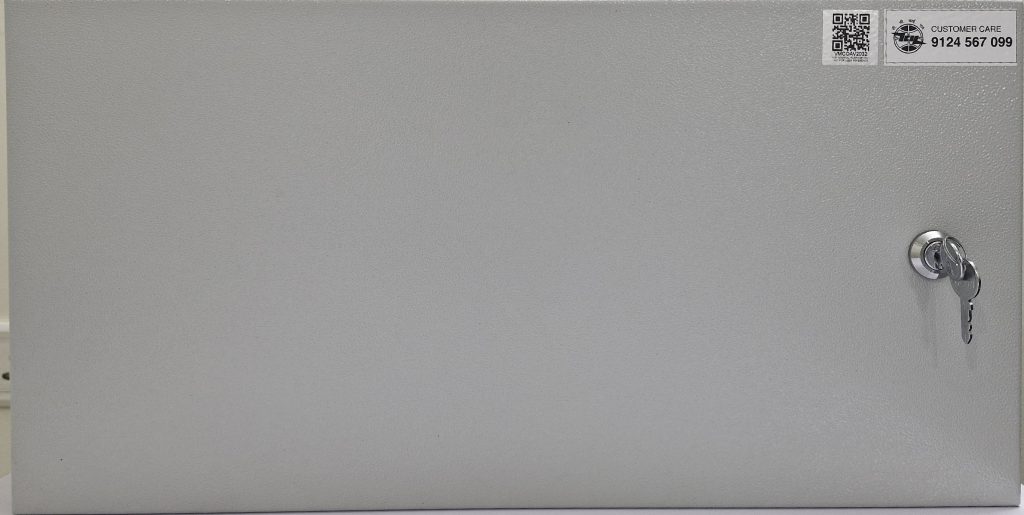
NOTE: Keep the cabinet locked when not in use.
ଟିପ୍ପଣୀ: ବ୍ୟବହାର ହେଉନଥିବା ସମୟରେ କ୍ୟାବିନେଟ୍ ତାଲା ଲଗାନ୍ତୁ।
1b. Placing the Equipment(ଉପକରଣ ରଖିବା)
The Vertical Wall Mounted Metal Cabinet is designed to securely house a 1KVA Line Interactive UPS along with a mouse, keyboard, microphone, and additional accessories. It provides protection and easy access for maintenance.
ଏହି ଭର୍ଟିକାଲ୍ ୱାଲ୍ ମାଉଣ୍ଟେଡ୍ ମେଟାଲ୍ କ୍ୟାବିନେଟ୍ ଏକ 1KVA ଲାଇନ ଇଣ୍ଟରାକ୍ଟିଭ୍ UPS ସହିତ ଏକ ମାଉସ୍, କୀବୋର୍ଡ, ମାଇକ୍ରୋଫୋନ୍ ଏବଂ ଅତିରିକ୍ତ ଆସେସୋରିଜ୍ ସୁରକ୍ଷିତ ଭାବରେ ରଖିବା ପାଇଁ ଡିଜାଇନ୍ କରାଯାଇଛି। ଏହା ସୁରକ୍ଷା ଏବଂ ରକ୍ଷଣାବେକ୍ଷଣ ପାଇଁ ସହଜ ପ୍ରବେଶ ପ୍ରଦାନ କରେ।
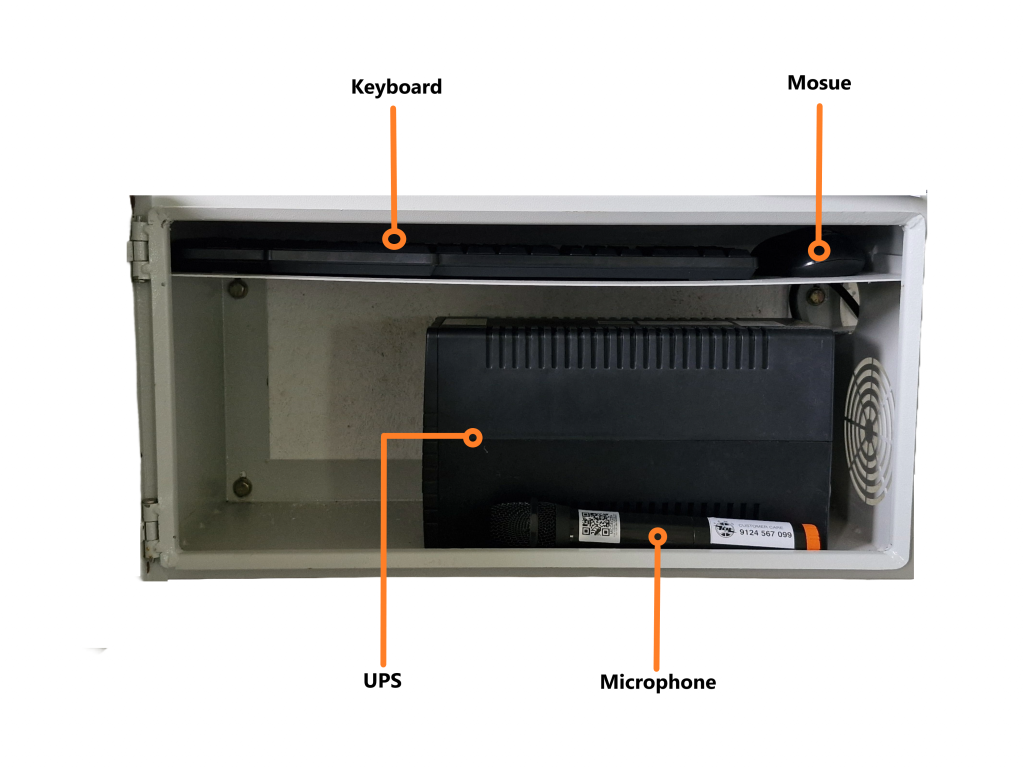
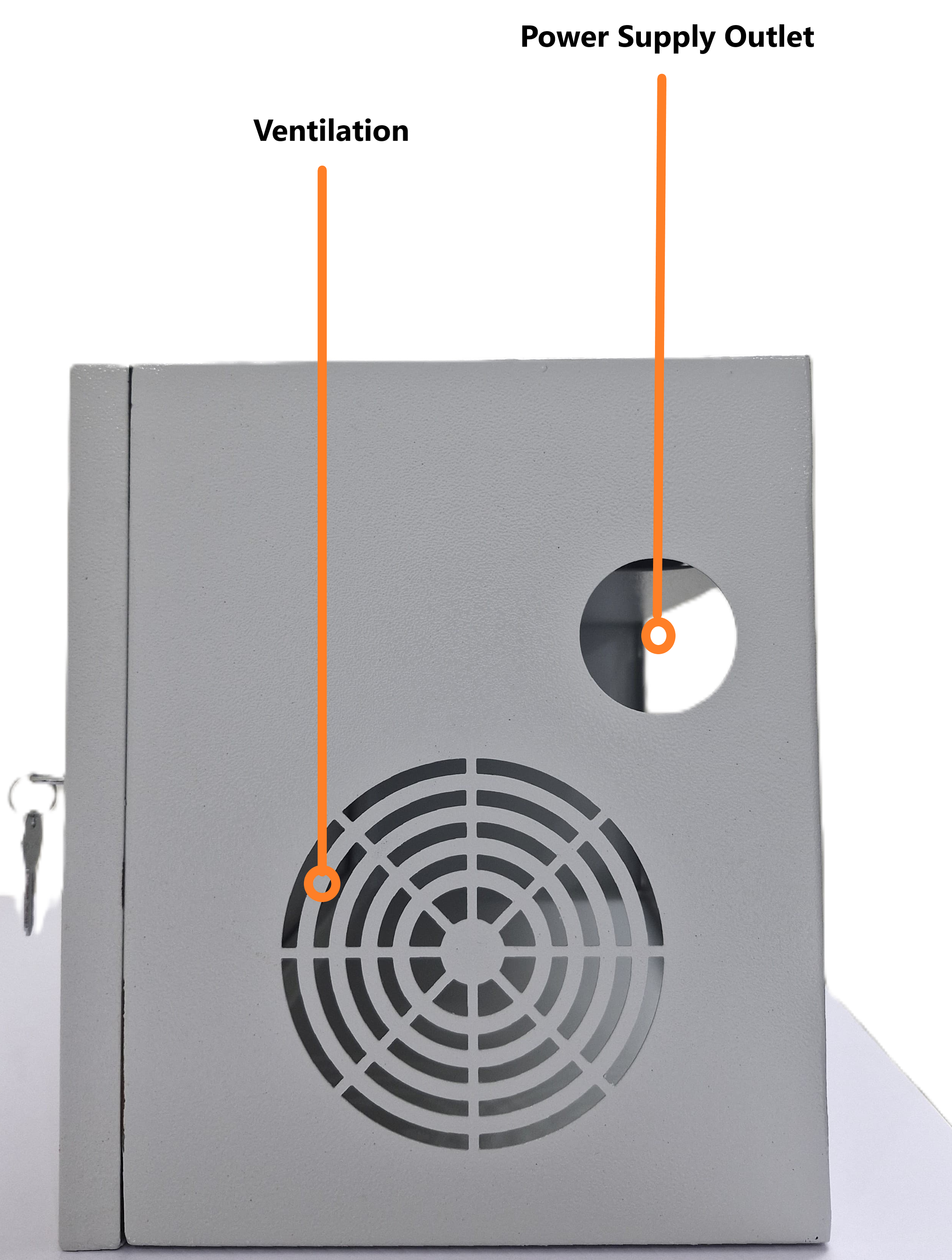
The UPS is placed inside the cabinet, making sure the UPS fan is placed facing the exhaust outlet (ventilation).UPS କୁ କ୍ୟାବିନେଟ ଭିତରେ ରଖାଯାଇଛି, ନିଶ୍ଚିତ କରନ୍ତୁ ଯେ UPS ଫ୍ୟାନଟି ଏକଜଷ୍ଟ ଆଉଟଲେଟ୍ (ଭେଣ୍ଟିଲେସନ୍) ଆଡ଼କୁ ମୁହଁ କରି ରଖାଯାଇଛି।
The mouse, keyboard, and microphone are placed in designated areas within the cabinet, ensuring they are easily accessible and organized.ମାଉସ୍, କୀବୋର୍ଡ ଏବଂ ମାଇକ୍ରୋଫୋନ୍ କ୍ୟାବିନେଟ୍ ମଧ୍ୟରେ ନିର୍ଦ୍ଦିଷ୍ଟ ସ୍ଥାନରେ ରଖାଯାଇଛି, ଯାହା ସୁନିଶ୍ଚିତ କରେ ଯେ ସେଗୁଡ଼ିକ ସହଜରେ ପହଞ୍ଚିପାରିବ ଏବଂ ବ୍ୟବସ୍ଥିତ ହେବ।

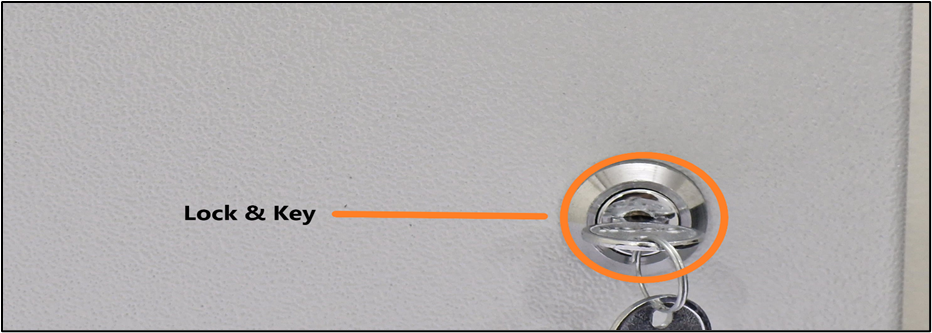
It features a robust metal construction with a locking mechanism to ensure the safety of the equipment and prevent unauthorized access.ଏଥିରେ ଉପକରଣର ସୁରକ୍ଷା ସୁନିଶ୍ଚିତ କରିବା ଏବଂ ଅନଧିକୃତ ପ୍ରବେଶକୁ ରୋକିବା ପାଇଁ ଏକ ଲକିଂ ବ୍ୟବସ୍ଥା ସହିତ ଏକ ଦୃଢ଼ ଧାତୁ ନିର୍ମାଣ ରହିଛି।
2. Troubleshooting(ସମସ୍ୟା ନିବାରଣ)
- Cabinet Door Not Locking: Ensure that the door is properly aligned with the lock mechanism. Lubricate the lock if necessary.
- କ୍ୟାବିନେଟ୍ ଦ୍ୱାର ତାଲା ପଡୁନାହିଁ: ନିଶ୍ଚିତ କରନ୍ତୁ ଯେ ଦ୍ୱାରଟି ତାଲା ବ୍ୟବସ୍ଥା ସହିତ ସଠିକ୍ ଭାବରେ ସଂଲଗ୍ନ ହୋଇଛି। ଆବଶ୍ୟକ ହେଲେ ତାଲାକୁ ସ୍ନିଗ୍ଧ କରନ୍ତୁ।
- Ventilation: Make sure the ventilation slots are clear of dust and debris, to avoid overheating the UPS.
- ବାୟୁଚଳନ: UPS କୁ ଅଧିକ ଗରମ ନ କରିବା ପାଇଁ ବାୟୁଚଳନ ସ୍ଲଟଗୁଡ଼ିକ ଧୂଳି ଏବଂ ଆବର୍ଜନା ମୁକ୍ତ ଥିବା ନିଶ୍ଚିତ କରନ୍ତୁ।
- Power Issues: Verify that the power cable is securely connected and that the UPS is receiving power. Check for any loose connections inside the cabinet.
- ପାୱାର ସମସ୍ୟା: ପାୱାର କେବୁଲ୍ ସୁରକ୍ଷିତ ଭାବରେ ସଂଯୁକ୍ତ ଅଛି କି ନାହିଁ ଏବଂ UPS ପାୱାର ଗ୍ରହଣ କରୁଛି କି ନାହିଁ ଯାଞ୍ଚ କରନ୍ତୁ। କ୍ୟାବିନେଟ୍ ଭିତରେ କୌଣସି ଢିଲା ସଂଯୋଗ ଅଛି କି ନାହିଁ ଯାଞ୍ଚ କରନ୍ତୁ।
- Accessory Issues: Ensure that the mouse, keyboard, and microphone cables are securely connected and not damaged.
- ଆସେସୋରି ସମସ୍ୟା: ନିଶ୍ଚିତ କରନ୍ତୁ ଯେ ମାଉସ୍, କୀବୋର୍ଡ ଏବଂ ମାଇକ୍ରୋଫୋନ୍ କେବୁଲ୍ ସୁରକ୍ଷିତ ଭାବରେ ସଂଯୁକ୍ତ ଏବଂ କ୍ଷତିଗ୍ରସ୍ତ ନୁହେଁ।
3. Product Support(ଉତ୍ପାଦ ସମର୍ଥନ)
The vertical wall mount is mapped to a serial number and a QR code, which can also be scanned for the product serial number. It is to be provided to the support staff during the lodging of a product issue/complaint for easy identification of the product.
ଭୂଲମ୍ବ କାନ୍ଥ ମାଉଣ୍ଟକୁ ଏକ କ୍ରମିକ ସଂଖ୍ୟା ଏବଂ ଏକ QR କୋଡ୍ ସହିତ ମ୍ୟାପ୍ କରାଯାଇଛି, ଯାହାକୁ ଉତ୍ପାଦ କ୍ରମିକ ସଂଖ୍ୟା ପାଇଁ ସ୍କାନ କରାଯାଇପାରିବ। ଉତ୍ପାଦର ସହଜ ଚିହ୍ନଟ ପାଇଁ ଉତ୍ପାଦ ସମସ୍ୟା/ଅଭିଯୋଗ ଦାଖଲ ସମୟରେ ସହାୟକ କର୍ମଚାରୀଙ୍କୁ ଏହା ପ୍ରଦାନ କରାଯିବା ଉଚିତ।
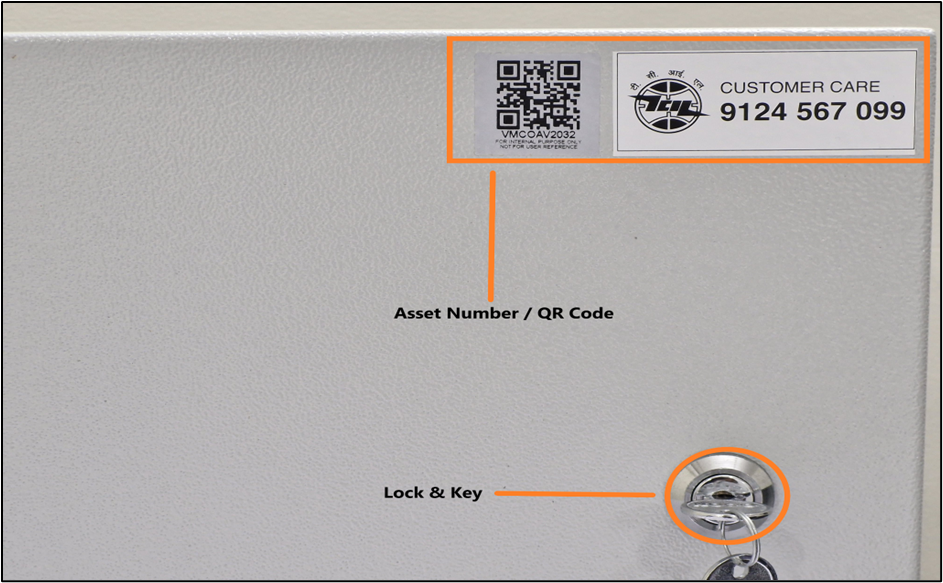
The product is provided with a customer care contact number. You can raise the product issue with the help of the serial number mentioned or by scanning the QR to fetch the serial number.
ଉତ୍ପାଦଟି ପାଇଁ ଏକ ଗ୍ରାହକ ସେବା ଯୋଗାଯୋଗ ନମ୍ବର ପ୍ରଦାନ କରାଯାଇଛି। ଆପଣ ଉଲ୍ଲେଖ କରାଯାଇଥିବା ସିରିଏଲ୍ ନମ୍ବର ସାହାଯ୍ୟରେ କିମ୍ବା ସିରିଏଲ୍ ନମ୍ବର ଆଣିବା ପାଇଁ QR ସ୍କାନ କରି ଉତ୍ପାଦ ସମସ୍ୟା ଉଠାଇପାରିବେ।
For any queries or further assistance, please contact our Customer Support:
- Phone: 9124 567 099
Email: helpdesk@ictschoollab.com
ଯେକୌଣସି ପ୍ରଶ୍ନ କିମ୍ବା ଅଧିକ ସହାୟତା ପାଇଁ, ଦୟାକରି ଆମର ଗ୍ରାହକ ସହାୟତା ସହିତ ଯୋଗାଯୋଗ କରନ୍ତୁ:
ଫୋନ୍: ୯୧୨୪ ୫୬୭ ୦୯୯
ଇମେଲ୍: helpdesk@ictschoollab.com